Splice closure photo checklist
Splice closure photos are the part of the job the office, the inspector and the owner actually see. Nobody reviewing a closeout is going to climb the pole or open the vault. If the photo doesn’t show it, as far as the paperwork goes, it didn’t happen.
This is a practical shot list crews can work from at the can. Print it, save it to your phone, or turn it into your own checklist. Your job’s spec may ask for more, so check it before you start, but this covers what most reviewers look for.
Before you start
A few habits make every photo on the list more useful:
- Wipe the lens. Vaults and bucket trucks are dirty. A smudged lens is the most common reason a photo gets rejected.
- Get light on it. Use a headlamp or work light inside the closure. Phone flash at close range tends to wash out labels and fiber colors.
- Hold steady and fill the frame. One sharp photo beats five blurry ones.
- Check each shot before you move on. Zoom in on the screen. If you can’t read the label, retake it now, not after the closure is sealed.
- Keep photos tied to the enclosure. However you store them, every photo should be traceable to one enclosure ID. A camera roll full of trays from six different cans is the start of a long Friday.
The checklist
1. Enclosure ID and label
- A clear, readable shot of the enclosure tag or label
- The ID should match the print and your splice documentation exactly
- If the label is missing or damaged, photograph what’s there and note it
This is the photo every other photo hangs on. Take it first.
2. Site and location context
- A wide shot showing where the enclosure is: the pole, vault, handhole or pedestal, with something recognizable around it
- Pole tag or vault lid markings, if there are any
- Street sign, address, or a nearby landmark if the location is hard to describe
Someone who has never been to the site should be able to find it from this photo.
3. Open closure, overall
- The full interior with the closure open, before you start working, if you’re entering an existing closure
- The full interior again once splicing is done, before you seal it
- Cable entry points visible, with cables identifiable where you can
4. Each splice tray
- One photo per tray, straight on, with the tray number or position visible
- Fiber colors readable
- Splice sleeves or protectors seated in the holders
- No loose fiber hanging off the edge of the tray
If a reviewer wants to check a specific splice, this is the photo they’ll look at. Don’t stack trays in one shot to save time.
5. Splice organization and routing
- Fiber routing between trays and from the buffer tubes into the trays
- Bend radius respected, with no tight kinks or pinched fiber
- Buffer tubes secured and labeled where your spec calls for it
- Tray stack secured once it’s closed up
This shows the work was done neatly, which matters to anyone who has to open the closure after you.
6. Sealing and the closed closure
- Gaskets, grommets or sealing material seated at the cable entries
- The closure fully closed, with clamps, bolts or latches engaged
- Any end plugs or unused ports properly sealed
A clean shot of a properly sealed closure answers a lot of questions before they get asked.
7. Mounting
- The closure mounted in its final position on the strand, pole, wall or vault rack
- Brackets and hardware visible
- Enough of the surroundings to show it’s secure and not sitting loose in the vault
8. Slack and storage
- Slack loops or coils, showing they’re stored and secured
- Snowshoes, slack brackets or coil storage in place, if used
- Cable entering and leaving the enclosure area
Slack that’s stored right is easy to miss in a photo and easy to question later. Take the shot.
Common reasons photos get kicked back
- Label unreadable or not photographed at all
- Trays shot as a stack instead of one by one
- Interior photos taken after the closure was partly closed up
- No wide shot, so nobody can tell which enclosure it is
- Photos that can’t be matched to an enclosure ID
- Blurry or dark images that nobody checked on site
Almost all of these are fixed by checking each shot at the can before moving on.
Where photos fit in the closeout
Photos are one piece of a splicing closeout package. The package usually also includes as-builts or markups, splice details and counts per enclosure, notes, time and a sign-off. We cover that in more detail in what goes in a splicing closeout package.
The common thread is the enclosure. When the photos, counts and notes for each can are kept together under that enclosure’s ID, the closeout can be built from the record instead of pieced together from phones and texts later.
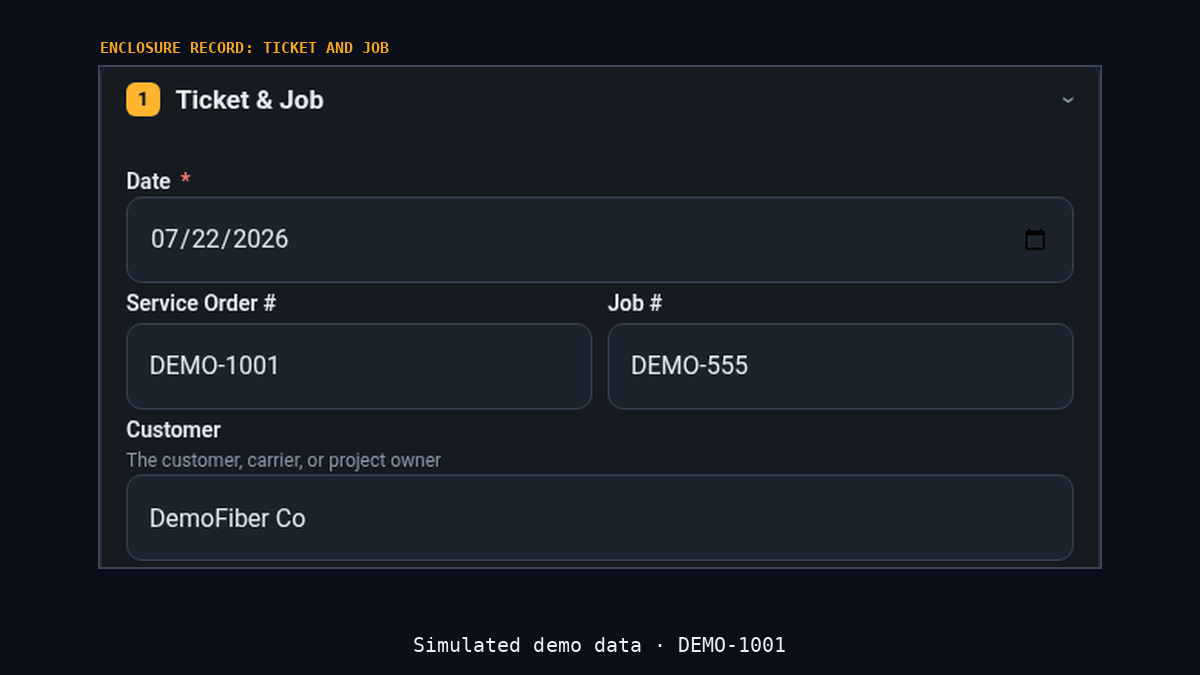
That’s the idea behind SpliceFlow. It isn’t a GIS or a project management tool. It’s fiber splicing software built around the enclosure record: the crew captures the work on that enclosure while they’re at the can, and the closeout is read from it.
Request an invite
SpliceFlow is invite-only, and we bring on splicing companies one at a time. Walkthroughs use a simulated demo job, DEMO-1001, not a customer job.
If you run a splicing crew or a fiber contracting company, register at spliceflow.app or email spliceflowcontracting@gmail.com.
Register with us
Company invite queue. Not a self-serve tech account.